0 2 * * * /nightly.sh
Stackswork presents
MyCronjob
Cron jobs. Simply scheduled.
Keep scrolling
Your crontab
From cryptic
From cryptic
to clear.
MyCronjob reads your existing user crontab and turns it into a calm, native Mac interface. No copy. No cloud. Your real jobs.
100% local
Native SwiftUI
Tahoe Glass
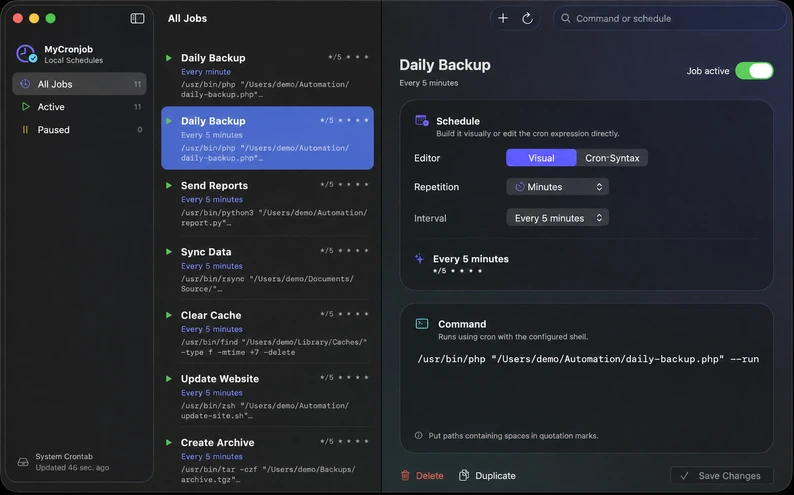
Two ways to work
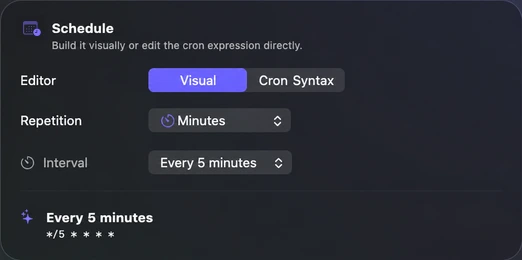
Click when it is simple.
Click when it is simple.
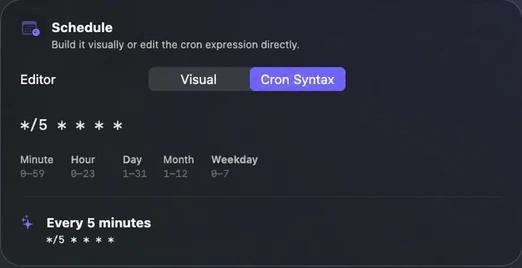
Type when it gets specific.
Switch between the visual schedule and direct cron syntax at any time.
Full control
Jobs have names.
Jobs have names.
Not just commands.
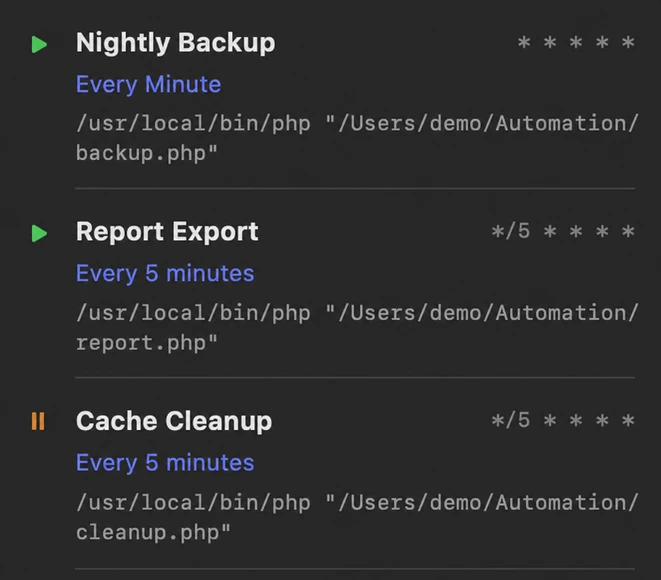
Name every cron job, find it instantly, and use an existing job as the starting point for a new one.
- 01 Enable or pause
- 02 Duplicate and adjust
- 03 Delete safely
Conflict protection
Never overwrite
Never overwrite
what changed elsewhere.
Before every save, MyCronjob compares the loaded state with your current crontab. If another tool changed it in the meantime, nothing is written — reload and decide for yourself.
30 2 * * * /nightly.sh
Save stoppedReload required
On your Mac
Not another scheduler.
Not another scheduler.
A better cockpit.
macOS continues to run your jobs with cron. MyCronjob makes the proven system understandable and can track successes, failures, and output — entirely locally, without a cloud.
MyCronjob*/5local crontab
⌁macOS cron
Almost there
Questions
Questions
still in orbit?
The essential answers before MyCronjob lands on your Mac.
Does MyCronjob replace cron?
No. The app manages your local user crontab; macOS cron continues to run the jobs.
Will it import my existing jobs?
Yes. Existing entries are read from your crontab and can be named, edited, paused, duplicated, or deleted.
Do I need to know cron syntax?
No. Common schedules can be built visually. The syntax editor remains available for anything more specific.
Can I see whether a job worked?
Yes. Optional run monitoring shows success, failure, duration, and the next scheduled run. Store all output, errors only, or nothing at all.
How much does MyCronjob cost?
One cron job is free forever. The full version is a one-time purchase and unlocks unlimited local jobs on two of your own Macs — no subscription. Paddle shows the current price in your local currency.
What happens to existing jobs without the full version?
Every existing cron job stays visible and continues to run unchanged. You can edit and monitor one job for free; pausing, deleting, and clearing local logs always remain available for safety.
What data leaves my Mac?
Your crontab, commands, and run logs stay local. Only purchase and license checks communicate with stackswork.com, using your email address, license key, app version, and a random device identifier.
Which macOS version is required?
MyCronjob is designed for macOS 26 Tahoe and its modern SwiftUI and glass materials.
Ready when you are
Your crontab.
Finally understandable.
Read existing cron jobs, edit them visually, and write them back safely — native, local, and without a cloud.
ONE TIME · TWO OF YOUR MACSOne-time purchase
One cron job free forever · no subscription · for macOS Tahoe
Build schedules visually · Check every run · Save safely